
Free Up Space on WhatsApp: The Key Button to Manage Your Storage
WhatsApp offers an essential tool to optimize your phone's memory. Learn to use "Manage Storage" and keep your memories safe.


WhatsApp has introduced an essential feature to manage your phone's storage space. The "Manage Storage" button allows you to free up gigabytes of memory without deleting your important photos and videos. This tool is crucial for maintaining your device's performance and ensuring the app runs smoothly.
The messaging application accumulates a large volume of multimedia files daily. Photos, videos, audio, and documents shared frequently quickly fill up your phone's internal memory. This saturation can lead to slow performance, failed file reception, or even prevent new messages from being saved.
To address this challenge, WhatsApp developed an efficient solution. The "Manage Storage" feature gives you detailed control over your saved files. You can review which items consume the most space and decide which ones to delete selectively.
Finding and using this tool is very straightforward:
- Open WhatsApp on your phone.
- Go to "Settings" (the three-dot icon on Android or the bottom tab on iOS).
- Select "Storage and data."
- Click on "Manage storage".
- Review the suggested files for deletion, such as large videos or frequently forwarded items.
- Select the files you wish to delete, either individually or in groups.
- Confirm the deletion. Remember that this action is irreversible, so consider backing up important items first.
Beyond cleaning existing space, you can prevent your storage from filling up so quickly. Automatic media downloads are a primary cause of saturation, especially in group chats. Disabling this option empowers you to choose what to save.
Configuring media visibility is a very useful preventive step:
- Open WhatsApp and go to "Settings."
- Select "Chats."
- Find the "Media visibility" option and toggle it off.
This way, photos and videos will only be saved to your gallery if you manually allow it. Managing your files on WhatsApp not only frees up space but also contributes to your privacy. You reduce the risk of sensitive information being unnecessarily stored on your device. Keeping your storage organized is a fundamental practice for your phone's digital health.
Keep reading online — scan the code
https://go.tricuatro.com/bxGTZ
© tricuatro.com
Article topics
Related articles

MIT Chip Converts Invisible Infrared Light into Crucial Data
MIT researchers developed an innovative chip detecting methane and propane using mid-infrared light, with potential for millions of pixels and optical computing.

Tesla Launches Electric Cybertruck Replica for Kids in the US
Tesla introduces its scaled-down Cybertruck for children aged 6 to 12, an electric vehicle priced at USD 1,500, currently exclusive to the US market.
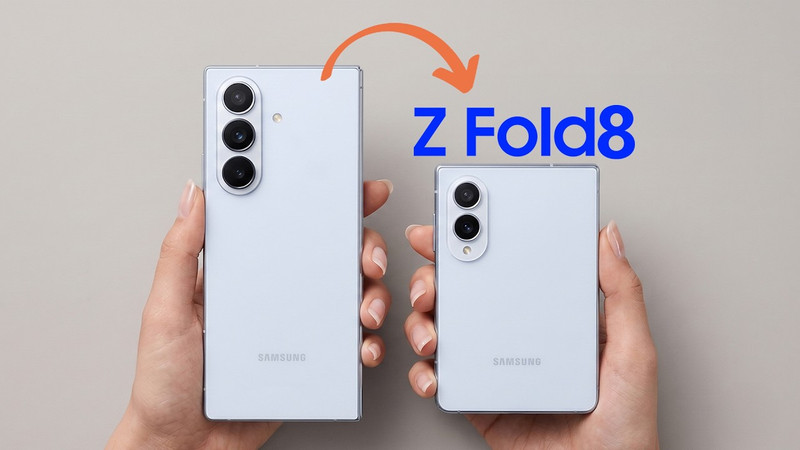
Samsung Galaxy Z Fold 8: "Passport" Design and Specs Leaked
Samsung's upcoming foldable, the Galaxy Z Fold 8, has been fully leaked, revealing a more square design and details on its displays, processor, and battery ahead of its official July launch.
Latest news
View all
Sweet Interstellar Discovery: Erythrulose Detected in the Milky Way
Scientists from the Spanish Astrobiology Center have for the first time identified a true sugar, erythrulose, in a gas and dust cloud near our galaxy's center. This finding suggests complex molecules can form before stars and planets are born.

Paramount and Warner Bros. Merger Halted by Judge Over Antitrust Concerns
A coalition of 12 states successfully petitioned Judge Araceli Martinez-Olguin to temporarily block the deal, citing fears of higher prices and reduced content.

Assassin's Creed Black Flag Resynced Smashes 3 Million Sales, New Game Plus Announced
Ubisoft's successful re-release of the pirate classic continues to break records, confirming one of the most requested features from the gaming community.
Comments (0)
No comments yet. Be the first!
Only registered readers can comment.