
iPhone: The Lock Screen Volume Control is Back and It's a Game Changer
Did you know you can adjust your iPhone's volume directly from the lock screen? This feature, reintroduced in iOS 18.2, isn't enabled by default but is incredibly useful.


The slide volume control on the iPhone lock screen, a highly requested feature by the community, officially returned with iOS 18.2 and remains available in later versions like iOS 26. This practical tool allows users to adjust audio quickly and intuitively without unlocking the device or relying on physical buttons. Apple's reintroduction responds to clear audience feedback, which valued the convenience of this option for managing multimedia playback.
For a period, this functionality was absent. Apple decided to remove it in iOS 16, arguing that side buttons and the Control Center offered sufficient alternatives for volume management. However, user experience showed that, in everyday situations like having the iPhone resting on a table, accessing a slide control directly on the lock screen was far more efficient and comfortable. Its absence led to several complaints among the community.
Carefully listening to its users, the Cupertino company reintroduced this feature in iOS 18.2. This is excellent news for those looking to optimize their device interaction. Nevertheless, it is important to know that this characteristic is not activated by default; it requires manual configuration to start enjoying its benefits.
Activating this slide control is a simple process that will only take a few seconds. You do not need to install third-party applications or perform complex configurations. The option is integrated into the operating system and available for all devices compatible with iOS 18.2 and later, including the most recent versions.
- Open the "Settings" app on your iPhone.
- Scroll down and select the "Accessibility" option.
- Within "Accessibility," find the "Hearing" section and tap on "Audio & Visual".
- Finally, toggle on the "Show Always Volume Control" option.
Once these steps are completed, every time you play multimedia content, you will see the slide volume control directly on your lock screen. This small adjustment significantly enhances the daily experience, offering more direct and convenient access to an essential function. You can deactivate it anytime by following the same path if you change your mind.
Activating the slide volume control on the iPhone lock screen is a small change that greatly improves the daily experience.
Keep reading online — scan the code
https://go.tricuatro.com/VSvza
© tricuatro.com
Related articles

MIT Chip Converts Invisible Infrared Light into Crucial Data
MIT researchers developed an innovative chip detecting methane and propane using mid-infrared light, with potential for millions of pixels and optical computing.

Tesla Launches Electric Cybertruck Replica for Kids in the US
Tesla introduces its scaled-down Cybertruck for children aged 6 to 12, an electric vehicle priced at USD 1,500, currently exclusive to the US market.
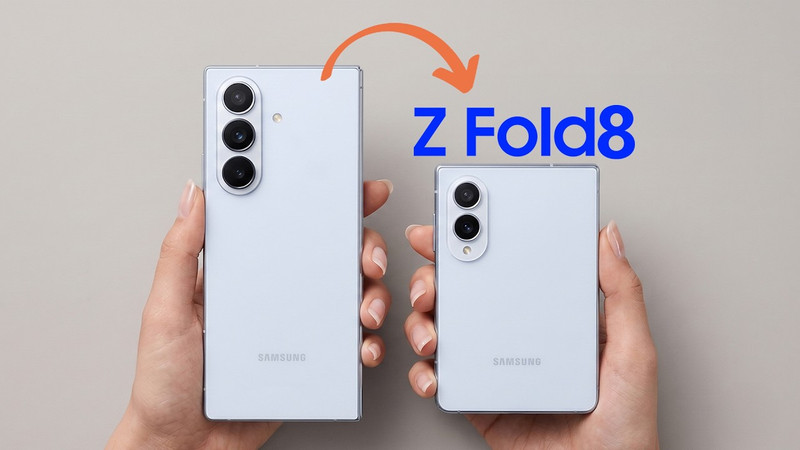
Samsung Galaxy Z Fold 8: "Passport" Design and Specs Leaked
Samsung's upcoming foldable, the Galaxy Z Fold 8, has been fully leaked, revealing a more square design and details on its displays, processor, and battery ahead of its official July launch.
Latest news
View all
Sweet Interstellar Discovery: Erythrulose Detected in the Milky Way
Scientists from the Spanish Astrobiology Center have for the first time identified a true sugar, erythrulose, in a gas and dust cloud near our galaxy's center. This finding suggests complex molecules can form before stars and planets are born.

Paramount and Warner Bros. Merger Halted by Judge Over Antitrust Concerns
A coalition of 12 states successfully petitioned Judge Araceli Martinez-Olguin to temporarily block the deal, citing fears of higher prices and reduced content.

Assassin's Creed Black Flag Resynced Smashes 3 Million Sales, New Game Plus Announced
Ubisoft's successful re-release of the pirate classic continues to break records, confirming one of the most requested features from the gaming community.
Comments (0)
No comments yet. Be the first!
Only registered readers can comment.