
GitHub Enhances Coding with AI: Model Selection for Claude and Codex Agents
GitHub now allows users to directly select advanced AI models from Anthropic and OpenAI for their coding agents, boosting development workflows.

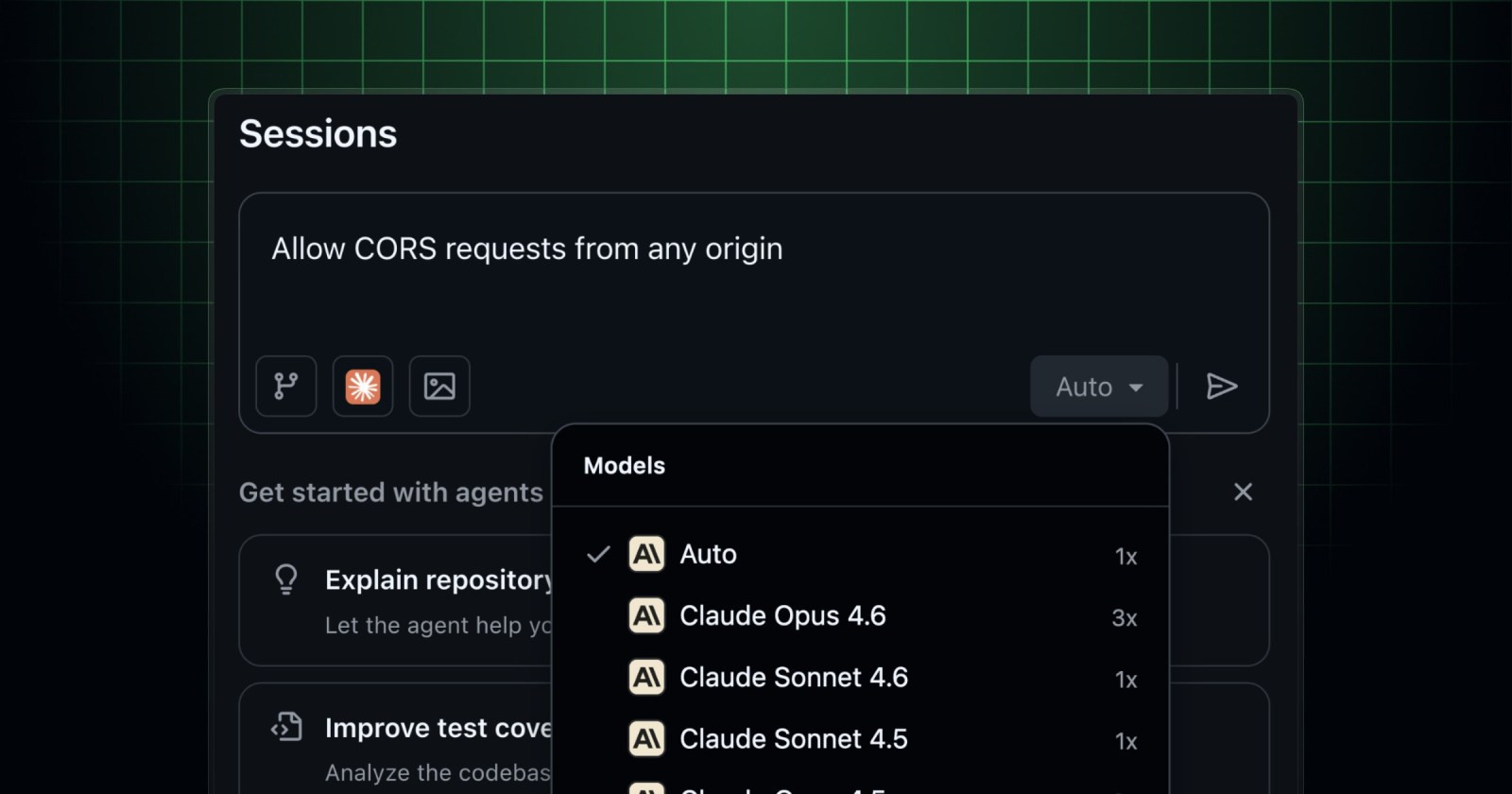
GitHub has rolled out a significant feature for the developer community: model selection for third-party coding agents Claude and Codex. This new capability empowers users to choose from the latest and most capable models from Anthropic and OpenAI, directly within the platform.
This update marks a major step forward for those looking to optimize their workflow. Similar to the Copilot cloud agent, you now have the control to specify which AI model you want to assist you with each task. This means direct access to cutting-edge AI-powered coding assistance, tailored to your specific needs.
When utilizing the Claude coding agent, developed by Anthropic, you gain access to a range of large language models (LLMs) renowned for their advanced reasoning and ability to handle complex tasks. The currently available models include:
- Claude Sonnet 4.6
- Claude Opus 4.6
- Claude Sonnet 4.5
- Claude Opus 4.5
Conversely, if you opt for the Codex coding agent, powered by OpenAI, you also have powerful options at your disposal. Codex is well-regarded for its proficiency in understanding and generating code across multiple programming languages. The models you can select are:
- GPT-5.2-Codex
- GPT-5.3-Codex
- GPT-5.4
You now have the control to specify which AI model you want to assist you with each task.
Accessing these powerful tools is straightforward if you are an existing Copilot subscriber. Claude and Codex functionality is included with your current subscription, making integration into your ongoing projects seamless. There is no need to acquire additional licenses to start experimenting with this enhancement.
For Copilot Business or Enterprise subscribers, it is crucial that your organization's administrator enables the relevant policy for Anthropic Claude or OpenAI Codex. Additionally, the repository owner or organization must activate the agent from "Settings > Copilot > Cloud agent". It's that simple to start supercharging your code with the most advanced AI!
Keep reading online — scan the code
https://go.tricuatro.com/t8KL0
© tricuatro.com
Article topics
Related articles

TikTok tests AI tool to protect creators from deepfakes
The video platform is rolling out an opt-in feature allowing users to verify their identity and report unauthorized AI-generated likenesses.

Apple Sues OpenAI Over Alleged Hardware Trade Secret Theft
The Cupertino giant accuses former key employees, including Tang Tan, of stealing confidential hardware information for OpenAI's benefit and its expansion into consumer hardware.

Anthropic Tackles AI's Toughest Questions for a Responsible Future
The company launches an initiative to understand public concerns and transparently address the challenges of artificial intelligence development.
Latest news
View all
Sweet Interstellar Discovery: Erythrulose Detected in the Milky Way
Scientists from the Spanish Astrobiology Center have for the first time identified a true sugar, erythrulose, in a gas and dust cloud near our galaxy's center. This finding suggests complex molecules can form before stars and planets are born.

Paramount and Warner Bros. Merger Halted by Judge Over Antitrust Concerns
A coalition of 12 states successfully petitioned Judge Araceli Martinez-Olguin to temporarily block the deal, citing fears of higher prices and reduced content.

MIT Chip Converts Invisible Infrared Light into Crucial Data
MIT researchers developed an innovative chip detecting methane and propane using mid-infrared light, with potential for millions of pixels and optical computing.
Comments (0)
No comments yet. Be the first!
Only registered readers can comment.